iOS Login Screen tutorial : XCode 5 + ios 7 + Storyboard + JSON
- Create a New project.
- Create the Screens and the Segue/transition.
- Declare and Connect the properties and actions to the UI elements.
- Set actions for Background Click and text field Return events.
- Post data to URL and parse the JSON response.
2. Create the Screens and the Segue/transition.
- Add the labels, text fields and button to the Login Screen.
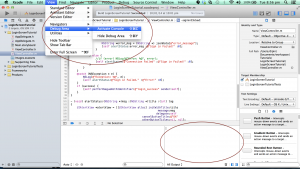
Go to the ‘Main.storyboard’. It will have a View Controller by default. Lets make it our Login Screen. Add the required labels, text fields and a button. - Add a new ‘View Controller’ for the home page.
We will add a new View Controller to the storyboard for the Home Screen. - Create a segue from Login Screen to Home Screen.
Let’s create a Segue from our Login Screen to the Home Screen.
We will use that to go to the Home screen when Login is success.

You have to update the swift code to look for the right params passed by the server.
HI,
It works fine if i use your webservices. i do have another web service
“”,”error_message”=>””);
if ($con) {
//echo “connected” . “”;
} else {
//echo “not connected” . “”;
}
$json = array();
$username = $_GET[“username”];
$password = $_GET[“password”];
$image=mysqli_query($con,”Select * from login where username=’$username’ and password=’$password'”);
$row_count=mysqli_num_rows($image);
if ($row_count>0)
{
$data[“error_code”] =1000;
$data[“error_message”]=”Success”;
print json_encode($data);
}
else
{
$data[“error_code”] = 1001;
$data[“error_message”] = “Username or Password is wrong”;
print json_encode($data);
}
mysqli_close($con);
?>
it works fine in postman client
but not working in the simulator why?
can u help me?
Thanks in advance
Thanks !!
i followed many tutorial but your tutorial works ..
its easy to understand json
Thanks
thank you very much bro.
Nice Tutorial!!
Thanx!
Thanks for this tutorial. I was able to add a login screen to a existent project and it run smooth in the first try!
Hey,
Check out the swift tutorial.
https://dipinkrishna.com/blog/2014/07/login-signup-screen-tutorial-xcode-6-swift-ios-8-json/
At the end i have attached the php code which you can use to setup your backend.
Thanks.
Hi i have downloaded the source code nd everything was working fine until i entered the username and password details. It says signing failed, does the following code have to be pasted in php:
Also how would i link the iOS app to my phpAdmin
thank you
I believe you are missing the quotes around the query.
$query = “SELECT * FROM User WHERE username = ‘$username’ AND Password = ‘$password'”;
HI it says there is a t-string syntax error on line 14 … $query = SELECT * FROM User WHERE username = ‘$username’ AND Password = ‘$password’; i am really stuck
—CODE PHP FILE BELOW—
//Retrieve the login details via POST
$username = $_POST[‘username’];
$password = $_POST[‘password’];
//Query the table
$query = SELECT * FROM User WHERE username = ‘$username’ AND Password = ‘$password’;
//check if results are returned
$num = mysql_num_rows($query);
//if a record found matching query
if ($num == 1)
{
echo ‘{“success”:1}’;
}
else
{
echo ‘{“success”:0,”error_message”:”Username and/or password is invalid.”}’;
}
mysql_close();
?>
Can you look at the logs and see whats happening?
Does it post the request to the server?
Hi,
I am being sent to the Home view even if login is incorrect. I tried dragging the segue from the whole view. but I still face the same issue.
Whats the issue?
I dipin having issue with my program when I log in it it goes back to xcode then shows me an issue.
Hey,
checkout this post. https://dipinkrishna.com/blog/2014/07/login-signup-screen-tutorial-xcode-6-swift-ios-8-json/
i have attached the php part you need.
Hi Dipin, great tutorial!
I’m new to iOS development, and I’m trying to get the login informations from a database, so how can I do it using PHP?
Thats a permission issue at your server.
Great video but my question is when I replace the link with my own website with the same file I get an Access denied error how can i fix that?
Thanks so much for this tutorial, been looking everywhere for something like this!
Hey,
I have attached the “mysql” code to th end of the swift tutorial
Hi
My app will be use by more then one person, how do I get the php file to allow more usernames and passwords.
Thanks
Dear Dipin,
I am new to iOS development, i am trying your tutorial everything is great except one small issue.
I don’t have a server, i do not have the knowledge of PHP. So i got help from one of my friend and he designed a API for me and the link is http://localhost/MobileApp/Service1.asmx/Login?UserName=Parameter&Password=Parameter
how could i use this URL in this tutorial.
Please help me out.
Thanks
Thanks Dipin Krishna,
This is just what I needed to know to begin my project. I am a PHP developer and coming to Objective-C is very odd and hard to get to grips with.
Thanks, much appreciated! 🙂
🙂
Dont know how I missed that. Thank you Dipin, awesome tut and working like a champ.
The error hits because, You haven’t added the segue between login screen and the home screen.
Just figured it out and was being a idiot, this was my problem. I assigned Post = username and not username = POST. Fixed it now and this is the final PHP code to do validate checking on a database.
//Retrieve the login details via POST
$username = $_POST[‘username’];
$password = $_POST[‘password’];
//Query the table
$query = mysql_query(“SELECT * FROM CFP WHERE Email = ‘$username’ AND Password = ‘$password'”);
//check if results are returned
$num = mysql_num_rows($query);
//if a record found matching query
if ($num == 1)
{
echo ‘{“success”:1}’;
}
else
{
echo ‘{“success”:0,”error_message”:”Username and/or password is invalid.”}’;
}
mysql_close();
I have now got it to login but when its correct details the application crashes with this error:
2014-09-04 19:38:26.728 CrossfitPotch[41414:60b] PostData: [email protected]&password=admin
2014-09-04 19:38:26.757 CrossfitPotch[41414:60b] Response code: 200
2014-09-04 19:38:26.757 CrossfitPotch[41414:60b] Response ==> {“success”:1}
2014-09-04 19:38:26.757 CrossfitPotch[41414:60b] Success: 1
2014-09-04 19:38:26.758 CrossfitPotch[41414:60b] Login SUCCESS
2014-09-04 19:38:26.760 CrossfitPotch[41414:60b] *** Terminating app due to uncaught exception ‘NSInvalidArgumentException’, reason: ‘Receiver () has no segue with identifier ‘login_success”
*** First throw call stack:
(
0 CoreFoundation 0x017f31e4 __exceptionPreprocess + 180
1 libobjc.A.dylib 0x015728e5 objc_exception_throw + 44
2 UIKit 0x0035348c -[UIViewController shouldPerformSegueWithIdentifier:sender:] + 0
3 CrossfitPotch 0x0000356b -[LoginViewController signinClicked:] + 3051
4 libobjc.A.dylib 0x01584880 -[NSObject performSelector:withObject:withObject:] + 77
5 UIKit 0x002343b9 -[UIApplication sendAction:to:from:forEvent:] + 108
6 UIKit 0x00234345 -[UIApplication sendAction:toTarget:fromSender:forEvent:] + 61
7 UIKit 0x00335bd1 -[UIControl sendAction:to:forEvent:] + 66
8 UIKit 0x00335fc6 -[UIControl _sendActionsForEvents:withEvent:] + 577
9 UIKit 0x00335243 -[UIControl touchesEnded:withEvent:] + 641
10 UIKit 0x00273ddd -[UIWindow _sendTouchesForEvent:] + 852
11 UIKit 0x002749d1 -[UIWindow sendEvent:] + 1117
12 UIKit 0x002465f2 -[UIApplication sendEvent:] + 242
13 UIKit 0x00230353 _UIApplicationHandleEventQueue + 11455
14 CoreFoundation 0x0177c77f __CFRUNLOOP_IS_CALLING_OUT_TO_A_SOURCE0_PERFORM_FUNCTION__ + 15
15 CoreFoundation 0x0177c10b __CFRunLoopDoSources0 + 235
16 CoreFoundation 0x017991ae __CFRunLoopRun + 910
17 CoreFoundation 0x017989d3 CFRunLoopRunSpecific + 467
18 CoreFoundation 0x017987eb CFRunLoopRunInMode + 123
19 GraphicsServices 0x037e75ee GSEventRunModal + 192
20 GraphicsServices 0x037e742b GSEventRun + 104
21 UIKit 0x00232f9b UIApplicationMain + 1225
22 CrossfitPotch 0x0000277d main + 141
23 libdyld.dylib 0x01e3a701 start + 1
)
libc++abi.dylib: terminating with uncaught exception of type NSException
(lldb)
Paste your php code.
This is the code from the debug console.
2014-09-04 19:25:00.449 CrossfitPotch[40463:60b] PostData: [email protected]&password=admin
2014-09-04 19:25:00.480 CrossfitPotch[40463:60b] Response code: 200
2014-09-04 19:25:00.481 CrossfitPotch[40463:60b] Response ==>
Notice: Undefined variable: POST in /Applications/XAMPP/xamppfiles/htdocs/Justin_Test/LoginTest.php on line 22
Notice: Undefined variable: username in /Applications/XAMPP/xamppfiles/htdocs/Justin_Test/LoginTest.php on line 26
{“success”:0,”error_message”:”Username and/or password is invalid.”}
2014-09-04 19:25:00.481 CrossfitPotch[40463:60b] Success: 0
If i hard code the PHP file and set the post varibles to the user and pass then it does yes, else if i leave it as it i get a Unidentified index error if i try open the PHP, which is likely due to the varibles having no set values yet from the program.
Does the php return “success:1” ??
Need a bit of assistance, im linking this to a mySQL database and have everything up and running fine on the xcode side but my php file wont seem to work with some modifying.
//MY PHP FILE CODE
$host = “localhost”; //Your database host server
$db = “CrossfitPotch”; //Your database name
$user = “root”; //Your database user
$pass = “root”; //Your password
$connection = mysql_connect($host, $user, $pass);
//Check to see if we can connect to the server
if(!$connection)
{
die(“Database server connection failed.”);
}
else
{
//Attempt to select the database
$dbconnect = mysql_select_db($db, $connection);
//Retrieve the login details via POST
$_POST[‘username’] == ‘[email protected]’;
$password = $POST[‘password’];
//Query the table
$query = mysql_query(“SELECT * FROM CFP WHERE Email = ‘$username’ AND Password = ‘$password'”);
//check if results are returned
$num = mysql_num_rows($query);
//if a record found matching query
if ($num == 1)
{
echo ‘{“success”:1}’;
}
else
{
echo ‘{“success”:0,”error_message”:”Username and/or password is invalid.”}’;
}
mysql_close();
}
No matter what details I type back it will never carry onto the next story. I am trying to do this due to the fact that I have multiple users Id like to make in the end product.
You can use NSUserDefaults.
Saving:
Retrieving:
Found the problem. It was the URL. I have a 301 redirection for www on the link and it was not working becuase of that. I’ve add www on the url and now is working.
Can you please tell me how to push data from this request back to home screen?
The log clearly shows the data send the json reply received.
The PHP code given shows that it looks for username ‘andrei’, but the username send is ‘username’.
2014-09-04 11:37:26.177 LoginScreenTutorial[3826:60b] PostData: username=username&password=password
2014-09-04 11:37:26.571 LoginScreenTutorial[3826:60b] Response code: 200
2014-09-04 11:37:26.571 LoginScreenTutorial[3826:60b] Response ==> {“success”:0,”error_message”:”Username and/or password is invalid. No post data!”}
2014-09-04 11:37:26.572 LoginScreenTutorial[3826:60b] Success: 0
and on PHP
header(‘Content-type: application/json’);
if(isset($_POST[‘username’]))
{
if($_POST[‘username’] == ‘andrei’ && $_POST[‘password’] == ‘password’)
{
echo ‘{“success”:1}’;
}
else
{
echo ‘{“success”:0,”error_message”:”Username and/or password is invalid.”}’;
}
}
else
{
echo ‘{“success”:0,”error_message”:”Username and/or password is invalid. No post data!”}’;
}
Can you paste the logs here?
For me is not working. It is not posting data. I’ve download the entire project from the link and is not posting data. Can you please help me?
If you are going to return something like this:
Then you can use the following code:
Great script. However I am going to be connecting to API that returns True false to the JSON request. I am trying to change code to reflect this. Any suggestions?
Any help would be amazing
Simon
Great stuff. Thanks for posting this. Keep up the good work!
Hey,
You will need to send a json reply from the server, and parse it in the app.
The tutorial does exactly that.
hye, i need you die and suggestion,
i have tried this tutorial to adapt my apps which to allow user to check their member card application status, sadly i can’t use it effectively.
i need an apps example that user will insert their application number thru mobile, and they will get the status of their application.
database mySQL. – storing users application status.
nice tutorial
Can you try this:
http://stackoverflow.com/questions/12540534/xcode-4-5-4g182-iphone-5-ios6-choose-a-destination-with-a-supported-archit
HI Dipin, amazing guide!
I’ve downloaded the code but when I try to simulate to any kind of device I got the error
xcode cannot run using the selected device
chose a destination with a supported architecture in order to run on this device.
My developer profile is expired but I don’t think it is a problem for running the app on simulator.
I’ve try looking at
Build Settings > Build Options > Compiler for C/C++/Objective-C (LLVM)
and
Bundle Name = ${PRODUCT_NAME}
Executable file = ${EXECUTABLE_NAME}
but still doesn’t work.
Any idea?
thank you
Matteo
Amazing tutorial thank you!
Hi,
Are you testing it on the simulator?
Can you confirm that you are connected to the internet?
Both of them result in a connection failed. I really need this to work, please help me!
Hm, lets try.
Can you check the response for a successful and an unsuccessful login, see if the page redirects for any one of them.
If the page ‘redirects’ to another page after successful authentication, then in the app we can check to see if the page is redirecting when trying to authenticate.
Hi Victor,
That method should be added to the “.m” file not “.h”.
Thanks.
Hello,
When I finished the application, xCode told me two errors :
1) http://hpics.li/873467e (Screenshot)
2) http://hpics.li/b5fb9da (Screenshot)
How can I fix this ?
Thank’s for this great tutorial!
No, I do not 🙁
Hey,
Do you have access to the website, to make changes?
I read all of your comments, and some had the same issue. Can you please tell me how to grab authentication code from a website and how to use them to check if I had correctly logged in? I know I’m asking for too much, but it would really help me if you replied!
Hi Dipin,
Love the tutorial very helpful but there’s one thing I need and it’s not working for me 🙁
I am developing an app for my school, where it uses a website with a login username and password. I was trying to make a login and username ViewController and take the user’s input and plug it in the HTML, and then opens a UIWebView and logs in with those credentials. Can you please help me? I need to submit this app to my school as soon as possible.
Thanks, it appears I was not connected. I just needed to let it connect, give it a few minutes and then start.
Hey,
Are you sure the device has an internet connection?
This tutorial works fine for the simulator, I can send data to and form the php page fine. But when I run it on my iPhone, it is unresponsive and then says “Login Failed! Connection Failed”.
In Xcode it says in the debugger the response code is 0 and “the request timed out.”. Why would the simulator be fine and the phone not? Please help!
Yes, will do one soon.
See the progress here : https://dipinkrishna.com/blog/2014/07/login-signup-screen-tutorial-xcode-6-swift-ios-8-json/
This is a very helpful tutorial. Do you plan on making one for xcode 6/ swift?
Yes. Using a DB will be the right choice.
Everything works great. The code was amazing and I thank you for that. I have only one question. How would a person use a “signup” button to save the information to the file? Or would it have to be to a “database” of some sort?
Thanks for this tutorial.
No Problem. Hope, you get it done.
Alright will try tomorrow but thank you very much you have helped me greatly
Copy over the authentication code from your actual login page, and see my sample php code to get an idea on what to return.
How would I go about that
🙂
The app is expecting a JSON response.
If possible, create a new url to process the requests from the app, and return a JSON response.
I’m not sure as I have only just stated to learn code and I am not experienced however I copied the code about json data and put in the URL and it sent me back to the same page so I assume so
Does that url return a JSON response?
Yeah the app use to crash on signing then I defined the signin correctly and now it comes up saying sign in failed but doesn’t crash the app and the URL is vle.biltonschool.co.uk
U mean, the app crashes on signin?
It’s the same error that James gets
What is the “Response” ?
I am trying to log on to my schools vle, I am entering my login and password which is correct however it won’t let me log in it comes up sign in failed
The server side code i used, is just a sample.
You will need to setup a database and get data from there.
Hi dipin, great tutorial two queries we are having our app developed
Firstly could our developers use your code for our one time login for users in our app.
Secondly if thousands of users were login too our app where would we access all there data from, will our developers need to link our app to our website and what security can be put in place to secure users details
Thanks
John
Ahh got it now i corrected the mistake and now it works good however when i enter the correct username and password it comes up sign in failed (i am trying to log onto my schools vle)
Hi,
Can you make sure ‘signinClicked’ is defined, if so, please paste here the code which is calling ‘signinClicked’.
If you had copied the code from tutorial, i think i have made a typo “sigininClicked”.
Thanks.
You can use NSUserDefaults.
Saving:
Retrieving:
This is an awesome tutorial! Is there a way to save username/password information so the user only has to login on first launch? Thanks!
hello, i have changed the website url to the one i want however when i enter the correct login username and password it crashes and says thread 1 signal SIGABRT then when i go to the debug area is says this:
2014-06-23 21:09:57.804 Bilton App[7370:60b] Cannot find executable for CFBundle 0x10943c030 (not loaded)
2014-06-23 21:10:07.033 Bilton App[7370:60b] -[KJViewController signinClicked:]: unrecognized selector sent to instance 0x109320400
2014-06-23 21:10:07.035 Bilton App[7370:60b] *** Terminating app due to uncaught exception ‘NSInvalidArgumentException’, reason: ‘-[KJViewController signinClicked:]: unrecognized selector sent to instance 0x109320400’
*** First throw call stack:
(
0 CoreFoundation 0x000000010194a495 __exceptionPreprocess + 165
1 libobjc.A.dylib 0x00000001016a999e objc_exception_throw + 43
2 CoreFoundation 0x00000001019db65d -[NSObject(NSObject) doesNotRecognizeSelector:] + 205
3 CoreFoundation 0x000000010193bd8d ___forwarding___ + 973
4 CoreFoundation 0x000000010193b938 _CF_forwarding_prep_0 + 120
5 UIKit 0x0000000100257f06 -[UIApplication sendAction:to:from:forEvent:] + 80
6 UIKit 0x0000000100257eb4 -[UIApplication sendAction:toTarget:fromSender:forEvent:] + 17
7 UIKit 0x0000000100334880 -[UIControl _sendActionsForEvents:withEvent:] + 203
8 UIKit 0x0000000100333dc0 -[UIControl touchesEnded:withEvent:] + 530
9 UIKit 0x000000010028ed05 -[UIWindow _sendTouchesForEvent:] + 701
10 UIKit 0x000000010028f6e4 -[UIWindow sendEvent:] + 925
11 UIKit 0x000000010026729a -[UIApplication sendEvent:] + 211
12 UIKit 0x0000000100254aed _UIApplicationHandleEventQueue + 9579
13 CoreFoundation 0x00000001018d9d21 __CFRUNLOOP_IS_CALLING_OUT_TO_A_SOURCE0_PERFORM_FUNCTION__ + 17
14 CoreFoundation 0x00000001018d95f2 __CFRunLoopDoSources0 + 242
15 CoreFoundation 0x00000001018f546f __CFRunLoopRun + 767
16 CoreFoundation 0x00000001018f4d83 CFRunLoopRunSpecific + 467
17 GraphicsServices 0x0000000103ac1f04 GSEventRunModal + 161
18 UIKit 0x0000000100256e33 UIApplicationMain + 1010
19 Bilton App 0x00000001000023e3 main + 115
20 libdyld.dylib 0x0000000101fe25fd start + 1
)
libc++abi.dylib: terminating with uncaught exception of type NSException
(lldb)
The app will work with any web service, as long as it returns the correct json response.
Can I use this same code to connect with .net web service that returns JSON response?
Oh, I found the problem, Sorry and thank you
Hi, Thank you for your great tutorial.
I’ve some problem, when I use your code, I try to “Login Fail” and then the page still goto homeScreen.
if (success) {
[self performSegueWithIdentifier:@”login_success” sender:self];
}
How to go back to Login Page when Login Fail?
Thank you
For any one of the text field, there is a possibility that you may have used ‘New Referencing Outlet Collection’ instead of ‘New Referencing Outlet’.
Hey great work… 🙂
However I get to errors in viewController.m:
No visible @interface for “NSArray” declares the selector “text”.
These come at the these lines:
if([[self.txtUsername text] isEqualToString:@””] || [[self.txtPassword text] isEqualToString:@””] ) {
NSString *post =[[NSString alloc] initWithFormat:@”username=%@&password=%@”,[self.txtUsername text],[self.txtPassword
You should better use a db for that. 🙂
Ok thank you, quick response too.
And if I am trying to provide login access to hundreds of people what would I need to change or should it work as long as their information is set up in the same format on the website?
Hi Geoff,
You will need to replace the url and params with that of your website’s.
And your website url will have to send a json response.
Hello Dipin,
Thank you for providing this tutorial, great stuff.
I have only recently started developing apps so I need a little guidance. What are the necessary changes that need to be made to the code in order to for this to work with my own website and what information does the website need to supply. I hope I explained that as clearly and concisely as possible.
Thank you
Your login.asp file will have to return json for the app to process.
You can pass in an extra parameter (json=1) along with the username & password from the app to the login.asp, so that login.asp knows that it needs to return a json response rather than the html.
Hello, thanks for the great tutorial! 🙂
I have a login website which executes a login.asp file when you submit details.
Can I use this code to login to the asp file or can you please tell me how to link the login app to this file? Please I really need this.
Thank you 🙂
thx
changed from 10.0.2.2 to localhost…works perfectly 🙂
Great tutorial..really enjoyed it 😀
how do i connect to my php localhost?
tried replacing this
https://dipinkrishna.com/..
with
http://10.0.2.2/..
but it doesn’t seem to connect..
Awesome post. Thank you.
See: http://highoncoding.com/Articles/809_Consuming__NET_Web_Services_in_an_iOS_Application.aspx
Hi, I need to connect to an aspx webservice. How do I?
see:
https://www.youtube.com/watch?v=c5G_y_Urcs8
Hi. I’m new in iOS development.
When I’m trying to add another button into my home screen; after successfully logged in.
I can’t really declare (if that is the right term) it in XYZViewController.h.
help?
Yea, it can be done easily by making changes to the loginscreen of the tutorial.
Hey buddy
Your tutorial is amazing. I have followed everything and it seems to be working but i am working on a tat app and want to have a create an account page where new users create an account and takes me to home screen.
Cheers! 🙂
Fixed! for anyone wondering or with same problem – I originally dragged my segue from the ‘sign in’ button to the home page, instead of dragging the segue from the whole view.
*Update* – Working with correct login, but if I put incorrect details in it still takes me to the home page!
Hi, great tutorial, thanks.
I’m encountering several problems:
– In the log, if I put in the correct username/pw it returns success:1, however the last line always reads success:0 so I cannot login even with correct details
– When the invalid pop up message appears and I press OK, I’m navigated to a blank white screen so I have to restart the app (I don’t have this screen in the storyboard so not sure what’s happening their)
Any ideas? Thank you!
Francis
You can use the code from the tutorial. If you need additional fields add them to the view.
You can use the same code for your login screen.
Make changes to the params/fields used if necessary.
Can u please explain the above code.
If i need to create my app with login page , so can use your code with my url or i have to re write the code.
Hey Dipin !
Your tutorial are the best one from the bunch of tutorials i have watched.
Can you guide me that how can i learn full fledged i-phone app development.
Thanks
Regards
SAHIL
Hi,
How do I create my own JSON login webpage to go along with this tutorial, so I can store the usernames in a table/database?
🙂 Cheers!
Thanks Dipin 🙂
I find the problem. I was declaring “login_success” incorrectly.
See:
I’m new in Objective-C….
Where can I find a more detailed log?
Thanks
More info will be available in the logs.
Hi Dipin,
great tutorial. I’m with a problem.
When I put the login and password correctly, the program crashes and the following message appears:
“Thread 1: signal SIGABRT”
on the ACAPPDelegate.h
Didi you know?
Thanks
You can add your authentication in the loginClicked() method.
hi,
great tutorial. I’m new to objective C and xcode. I’m trying to understand the last page.
correct me if I’m wrong. is it set up to connect to an online server to verify the username and password?
if yes, how do I set it up in a way that its all done offline?
Thank you for your patience.
I think I got it working, thanks again!
Ok.
Hi,
All of them, I tried both of those options before you posted them, I will try again & get back to you.
I appreciate your quick response and help
Thanks
Hi Scott,
Do you want to check whether any one of them are empty?
or all of them are empty?
Hi Dipin,
Just wondering, I’ve added more than two UITextfields to my login screen (email and a reenter password)
Just wondering how I can check and see if all four fields are blank at the @try as opposed to two
Thanks!
Cheers! 🙂
Hi, thanks for your response, that was indeed the problem
I found out what my problem was
I needed to set up a proxy within my localhost in order for my app to communicate with my local server
Thanks for you help
Can you make sure that the request is reaching your server?
Hi, sorry I meant to post this here not your other tutorial
I used your code to communicate with my local server / php files which in term communicate with my mysql backend database
When I run the login screen on my simulator it works great the query finds my username in my database and logs me in
However, when I try to test it on my app itself it does not work, and passes in a response code of 0
Any idea how I can resolve this? Thanks
thanks! Love your work!
Yep, I have updated it a bit today, it will be completed tonight.
Hello Dipin, first of all thanks for the great tutorials.
secondly, do you plan on finishing this one anytime soon? thanks